 Coaching App
A new AI coach for a motivation app
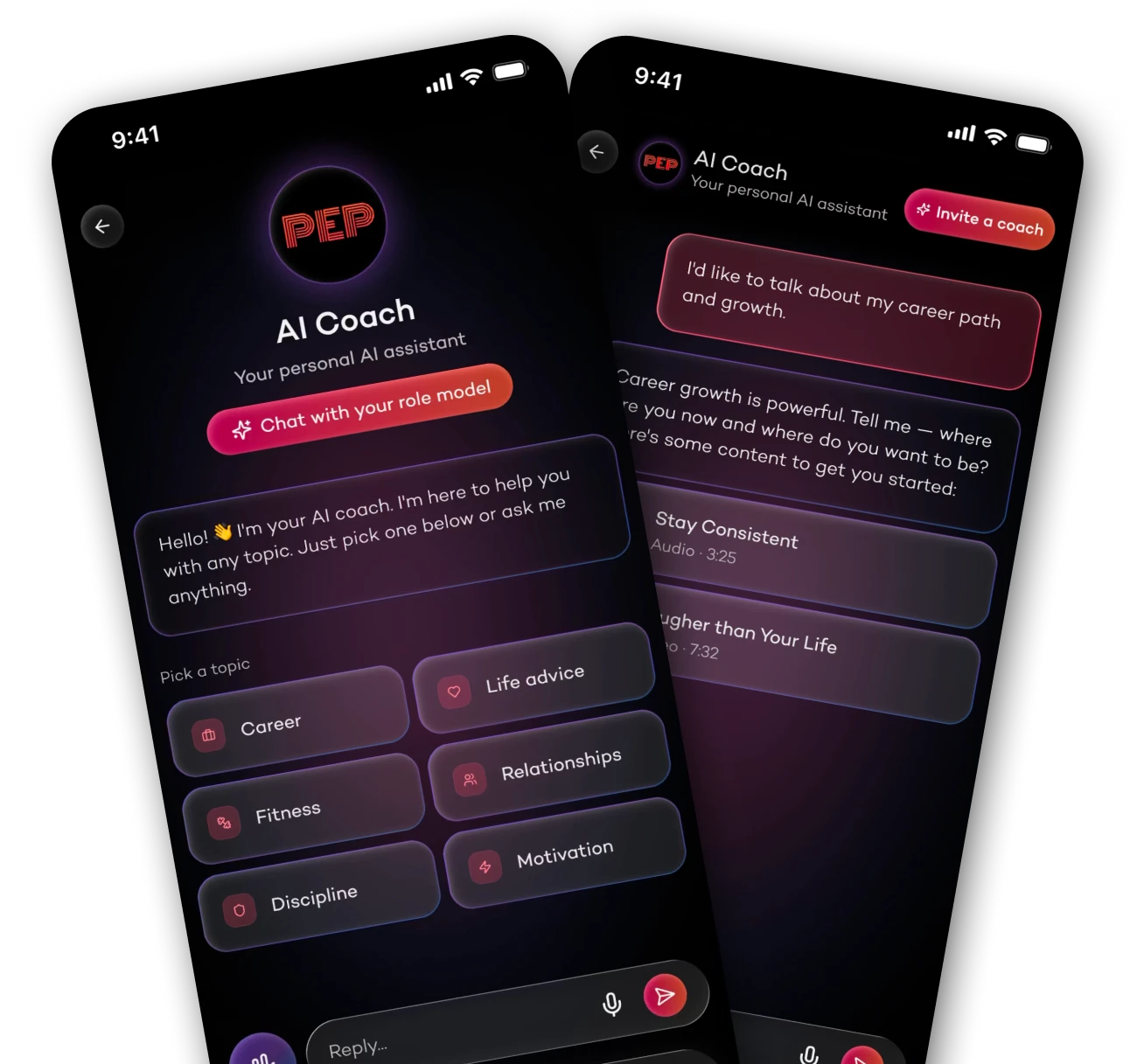
The main premium feature failed to deliver value.
In addition to providing daily motivational videos and audio clips, PepTalk has developed an AI feature that lets users chat with their favorite personalities: PepCoach.
I'll admit PepCoach felt genuinely avant-garde when it launched. Users quickly found it underwhelming compared to what they expected from an AI-powered coaching experience.
UX/UI Analysis
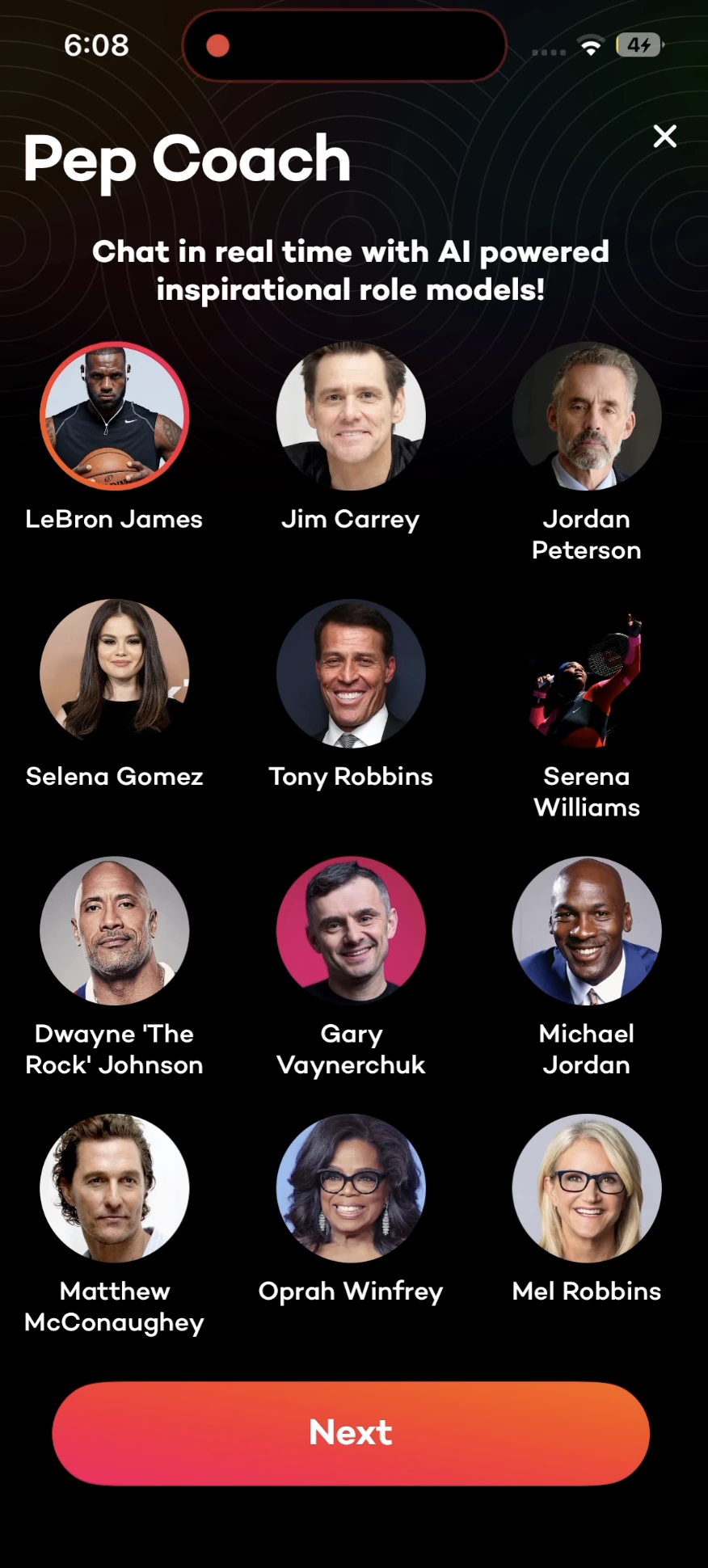
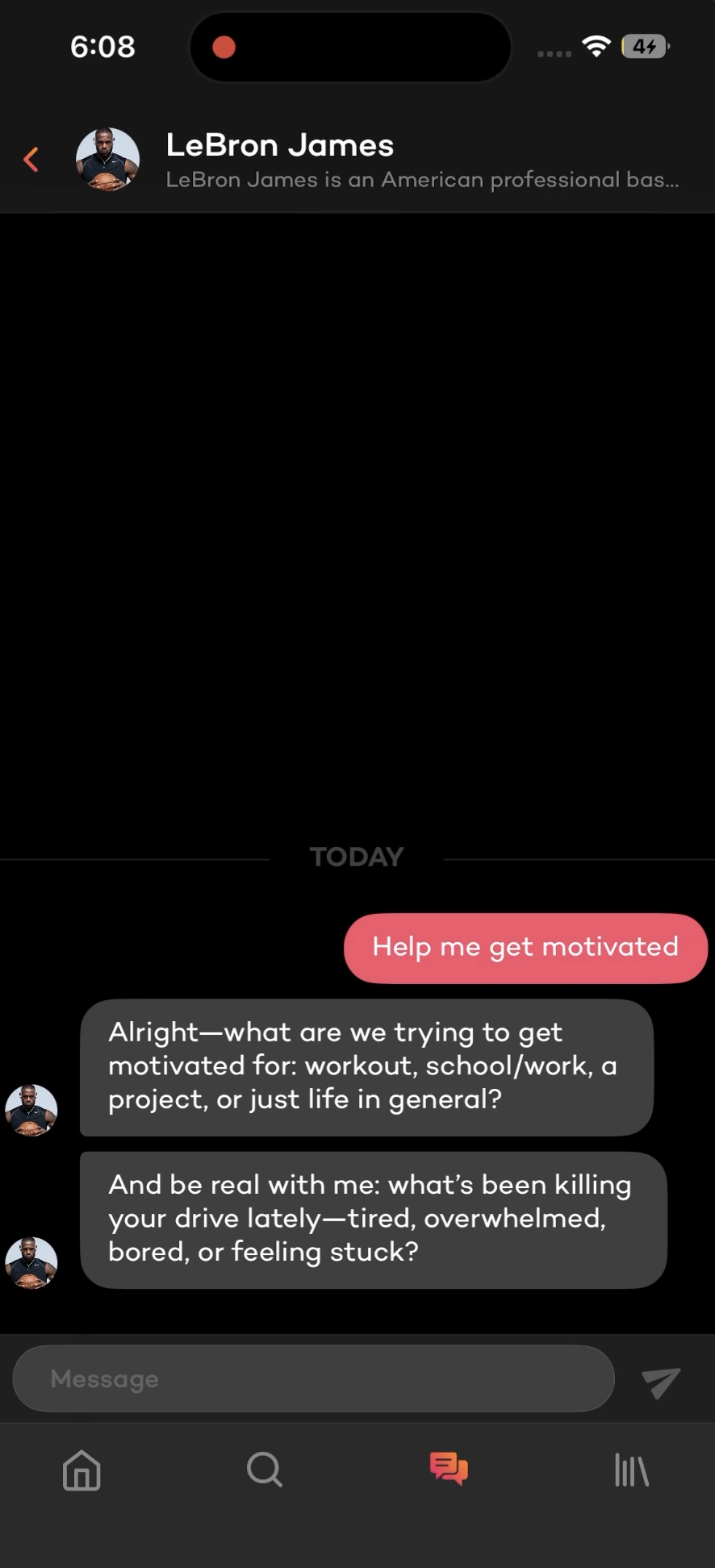
When it launched, the promise of chatting with an AI agent acting like your favorite celebrity was genuinely attractive. I underestimated how fast the feature would reveal its limits. Users were interacting with a standard, outdated AI agent wearing a language filter, unable to offer anything the app's own content already did better.
-
Low added value The AI responses were generic and not insightful.
-
Disconnected from the product The feature ignored the app's core content, its audios, videos, and quotes.
-
Weak positioning The "celebrity coach" concept created expectations the product couldn't meet.
Nobody opens a chat to talk to an AI. They open it hoping something relevant comes back.
Four decisions that shape the experience
Structure free input toward relevant themes.
Ground every response in audios, videos, and quotes.
Turn "Personalities" into an enhancement, not the core.
An outdated design doesn't do justice to a technically advanced feature.
Reframe Pep Coach as a guided, content-driven experience.
New flow:
Constraints & design implications
- AI model undecided The UI abstracts the API call entirely. Content triggers work regardless of which model ships.
- No streaming in v1 Coaching responses are pre-authored scripts injected at defined conversation triggers, not raw model output.
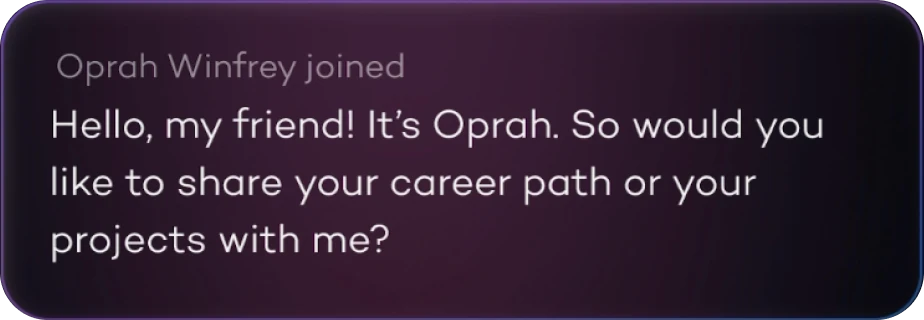
Default to a generic coach
I made the AI Coach the default instead of a celebrity, which felt like a step back at first. But the celebrity framing had over-promised: people expected an actual personality and got a renamed model instead. Defaulting to something plainer removes that letdown and lets the content do the work.
- Celebrities are optional, not the entry point.
- This removes the pressure of choosing a personality before the experience begins.

Guide conversations with topics
I moved users away from open-ended chat and into a predefined coaching topic first. A blank input works for curiosity-driven users, but PepTalk's audience often comes with an emotional need they can't easily articulate. Topics give them a starting point and close the gap between "I feel stuck" and actually receiving useful coaching.
- Topics ground the conversation in the user's actual needs.
- They help the AI provide more relevant and actionable responses.
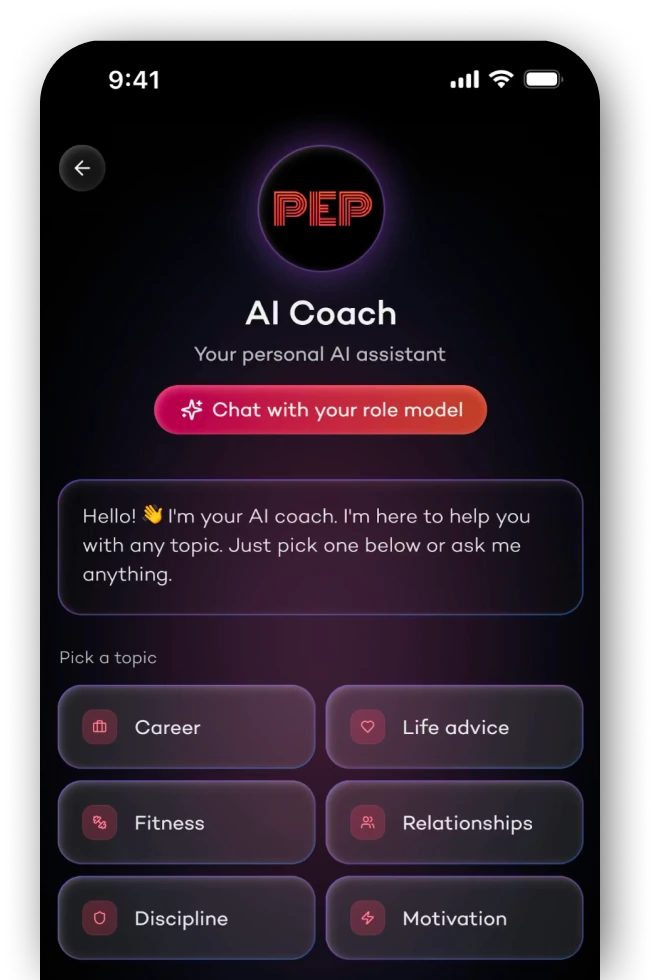
Structure free input subtly
I let users keep typing freely and had the AI detect the underlying topic automatically instead. Forcing everyone through topic selection would have felt patronizing to returning users, so I classified free input silently rather than branching the whole flow. Both segments get what they need without knowing the other path exists.
- Users feel free to express themselves naturally.
- The system maps their input to the right coaching category.
Inject content into conversations
I had the AI surface relevant videos and audio from the app straight in chat. PepTalk's edge was always the content library, not the model behind the chat, and keeping the two apart meant users picked one or the other. Weaving content into the responses is what makes this feel like PepTalk, not a chatbot wearing its logo.
- Content recommendations feel organic and timely.
- The feature finally connects the AI to the rest of the product.
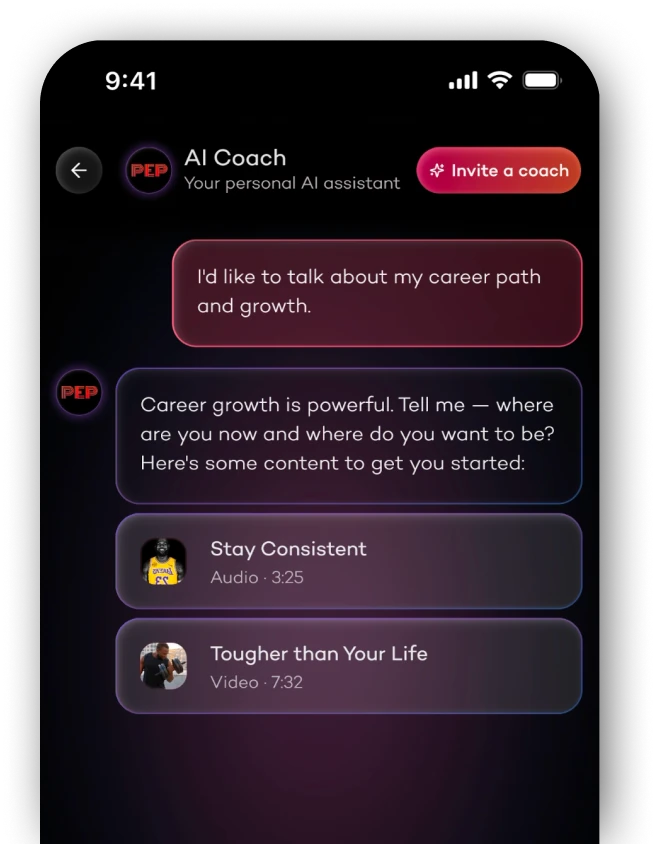
Introduce dynamic coaching
I made coaching adapt in real time to what the user shares. Static responses train people not to engage deeply, once they learn the system won't respond to nuance, they stop bothering. Adaptive tone is what creates that "this actually listens" feeling that brings people back.
- The AI adjusts its tone and suggestions based on the conversation.
- Users feel heard and understood, not just answered.
Make it look premium
I modernized the UI to signal quality and justify the premium tier. The old design looked like a side project, and that mismatch, between the promise of a "personal AI coach" and the visual quality people associate with that price, was working against us.
- Visual refinements make the feature look and feel more premium.
- The new design is consistent with the overall app aesthetic.

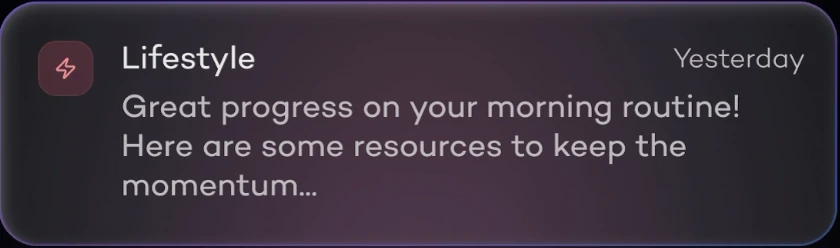



A content-driven coaching experience
The new design reduces friction by guiding users toward specific, actionable conversations.
They are now encouraged to pick a topic, making it easier to get structured advice and relevant content right away.
This way, the feature becomes a practical daily coach, not just a chatbot.
- Topic selection frames every conversation from the start
- App content injected contextually into coaching responses
- Premium visual redesign reinforces the quality of the advice
Results
Upgrade rate among active users improved as the AI-powered suggestions surfaced the paywall at more relevant, high-intent moments.
Users returning to the AI coach in subsequent sessions, driven by more contextual and actionable responses that rewarded re-engagement.
Projected increase in lifetime value, modelled from improved conversion and retention rates post-launch.
What I'd improve next
The redesign improved conversion and return rate, but the experience still has meaningful gaps once users are inside. These are the improvements most likely to compound on the current gains.